For staff
Know when you work, what changed, what is 86'd, what is assigned, and how tip-out was calculated.
What RunBackhouse does
Scheduling, checklists, team communication, 86s, tips, inventory, and payroll prep stay connected to the same shift. Staff know what changed. Managers know what needs attention. Owners know how the shift finished.
Built for the whole team
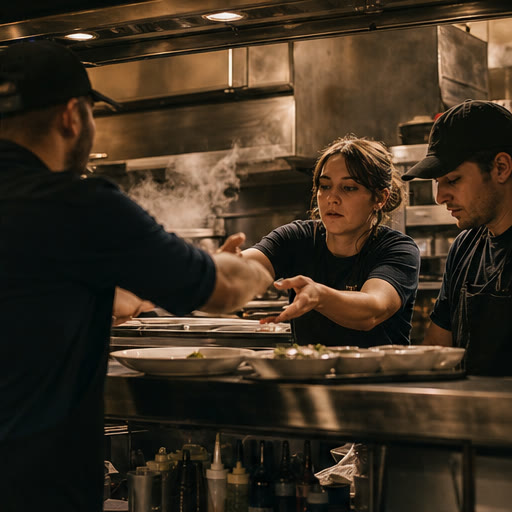
Everyone sees the part of the shift they need, without forcing the crew, managers, and owners through the same view.
Know when you work, what changed, what is 86'd, what is assigned, and how tip-out was calculated.
Publish the schedule, cover call-outs, run checklists, update service, review tip-out, and close the shift from one place.
See coverage, completion, exceptions, sales and labor context, and location status without chasing another recap.
Live today
Add more as the business grows. Availability varies by plan and venue setup.
Shift Operations
Basics and above
Build the schedule, cover open shifts, assign opening and closing work, share service updates, and see what was completed.
 RunBackhouseLive service
During service · live
Marcus moved patio side work to close.
Taylor marked house lager OUT.
Nina completed pre-shift checks.
Service live
Live viewWorkforce & Compliance
Operator visibility. Deeper controls on Growth.
Keep hours, requests, training, certifications, documents, and operational checks connected to the people and shifts they belong to.
RunBackhouseWeekly scheduleWeek of Aug 24 · draft
This week
Live viewMoney & Payroll Prep
Tip-out on Operator. Payroll prep on Growth.
Calculate tip pool and tip-out, reconcile the close, review labor against sales, and prepare a provider-ready payroll file.
RunBackhouseClose reviewClose and payroll preparation
Close review
Live viewInventory & Purchasing
Operator and above
Manage counts, pars, LOW and OUT status, receiving, vendors, and orders without rebuilding the shift later in a spreadsheet.
RunBackhouseStock roomStock and par levels
Stock room
Live viewComing soon and rolling out
These products are in development or limited rollout. They stay separate from the capabilities a team can use today.
Run payroll inside RunBackhouse instead of preparing and handing off to a provider.
Broader recipes, menu margins, COGS, and POS-driven depletion after production and seller verification.
More depth for private events, show management, guest list and door, reservations, and floor management.
Additional providers move from partner-gated or UI-only status only after real production connections clear review.
Shared venue data
The same people, venues, roles, and shifts carry across the system, so upgrading does not require another login or a separate set of records.
See plans ↗Product questions
Scheduling and coverage, checklists and side work, temperature and cleaning logs, the 86 board, shift notes, team communication, tips, owner visibility, and the plan-specific workflows labeled on this page.
The staff value is practical: one current schedule, fewer group-text handoffs, clear assigned work, live 86s, and a shared tip-out record. Used consistently, that clarity can support trust, day-to-day satisfaction, and retention without pretending software alone guarantees any of them.
No. On Growth and above, RunBackhouse prepares hours, overtime, roles, rates, and tip inputs for preview, export, and provider handoff. Your payroll provider files taxes and moves money.
No software can guarantee legal compliance. RunBackhouse provides operational checks, warnings, records, and jurisdiction-aware visibility where supported. It is not legal advice.
Operator and above can use counts, pars, LOW and OUT status, stocktakes, vendors, orders, and receiving where enabled. Deeper recipe costing, COGS, and POS-driven depletion are still rolling out.
No. The POS records transactions. RunBackhouse is the operating layer around the shift: people, execution, handoff, risk, inventory movement, and back-office preparation.
No. Provider availability varies, and only verified connections are presented as available. Items in the roadmap section are in development or limited rollout.
Shifts happen. Keep your shift together.
Start with scheduling, checklists, 86s, tips, or inventory. Bring the rest in when your operation is ready.
Unlimited staff on every plan. Start with the workflow that is costing you the most.